
This section briefly outlines what was built:
GCP Project Name: sap-hana
GCP Project ID: sap-hana-438807
SAP Systems IP Range : 10.60.0.0/16

VPC Name: sap-hana-vpc
CIDR: 10.0.0.0/16
Subnets:
  - Name: sap-hana-asia-south1-a
    CIDR: 10.10.0.0/16
    Region: asia-south1
  - Name: sap-hana-asia-south1-private
    CIDR: 10.11.0.0/16
    Region: asia-south1
Our VPC network: sap-hana-vpc
SAP VPC network: vpc-hec55-vre
Peered project ID: sap-hec-gcp-0805
IP stack type: IPv4 (single-stack)
Routing Mode: Global
Refer to the SAP Ports list and open all required ports for your respective systems
SAP Enterprise Cloud Services’ standard instances are CI-00, CS-01 DB: DEV - 06,QA-04, PRD-02
- Allow internal traffic between subnets
- Allow SSH to VPN VM (restricted to admin IPs)
Container Node IP to be allowed:

vhvretyo2csna-ha.tyo2.sap.xxxxx.team: /10.60.0.13
vhvretyo2csnb-ha.tyo2.sap.xxxxx.team: /10.60.0.29
vhvretyo2csnc-ha.tyo2.sap.xxxxx.team: /10.60.0.45
Container Subnet IP range to be allowed:

sn-HEC55-VRE-CSN01-A        -        10.60.0.0/28

sn-HEC55-VRE-CSN01-B        -        10.60.0.16/28

sn-HEC55-VRE-CSN01-C        -        10.60.0.32/28
Allow ports for all systems based on alignment with Partner and SAP Ports list link.
The most important port ranges are listed below:

3200 - 3299 - SAP GUI
3300 - 3399 - SAP GUI
3600 - 3699 - SAP Gateway
44300 - 44399 - HTTPS
30600 - 30699 - Database development
30400 - 30399 - Database quality
30200 - 30299 - Database production
4300 - 4399 - HTTPS Database
8443 - HTTPS Cloud Connector
22 - SFTP
53 - DNS
Ports on demand:
25 - SMTP
515 – printers
DNS Name: sap.xxxxx.team.
Type:      Private
| DNS Name | Type | TTL (seconds) | Record Data |
|---|---|---|---|
| sap.xxxxx.team. | SOA | 21600 | ns-gcp-private.googledomains.com. cloud-dns-hostmaster.google.com. 1 21600 3600 259200 300 |
| sap.xxxxx.team. | NS | 21600 | ns-gcp-private.googledomains.com. |
| vhvretyo2csna-ha.tyo2.sap.xxxxx.team. | A | 60 | 10.60.0.13 |
| vhvretyo2csnb-ha.tyo2.sap.xxxxx.team. | A | 60 | 10.60.0.29 |
| vhvretyo2csnc-ha.tyo2.sap.xxxxx.team. | A | 60 | 10.60.0.45 |
| abc.example.com. | A | 60 | 34.47.194.181 |
Instance Name: bind-dns
Internal IPs: 10.10.0.10
Zones: sap.xxxxx.team, tyo2.sap.xxxxx.team

Instance Name: bind-dns-2
Internal IPs: 10.10.0.10
Zones: sap.xxxxx.team, tyo2.sap.xxxxx.team
Zone name 1: tyo2.sap.xxxxx.team
Zone name 2: sap.xxxxx.team
/etc/bind/named.conf.options
options {
    directory "/var/cache/bind";
    recursion no;
    allow-query { any; };
    listen-on port 53 {localhost; 10.10.0.10;};
    dnssec-validation no;
};
/etc/bind/named.conf.local
//
// Do any local configuration here
//

// Consider adding the 1918 zones here, if they are not used in your
// organization
//include "/etc/bind/zones.rfc1918";
zone "sap.xxxxx.team" {
    type slave;
    file "/var/cache/bind/sap.xxxxx.team.db";
    masters { 10.60.0.13; 10.60.0.29; 10.60.0.45; };
    allow-notify { 10.60.0.13; 10.60.0.29; 10.60.0.45; };
    allow-query { any; };
};

zone "tyo2.sap.xxxxx.team" {
    type slave;
    file "/var/cache/bind/tyo2.sap.xxxxx.team.db";
    masters { 10.60.0.13; 10.60.0.29; 10.60.0.45; };
    allow-notify { 10.60.0.13; 10.60.0.29; 10.60.0.45; };
    allow-query { any; };
};
systemctl restart bind9
systemctl status bind9
dig @10.60.0.13 sap.xxxxx.team AXFR
dig @127.0.0.1 vhvredclcc01.sap.xxxxx.team.
ls /var/cache/bind/
nc -vz 10.60.0.13 53
Netbird Server:
  Instance Name: instance-20241128-095122
  Region: asia-south1-c
  Machine Type: e2-medium (2 vCPUs, 4 GB Memory)
  OS: Ubuntu 24.04 LTS
  Storage: 20 GB
  Static IP:
    - private: 10.10.0.12
    - Public: x.x.x.x

Netbird Client:
  Instance Name: netbird-client
  Region: asia-south1-c
  Machine Type: e2-medium (2 vCPUs, 4 GB Memory)
  OS: Ubuntu 24.04 LTS
  Storage: 10 GB
  Static IP:
    - private: 10.10.0.3
Postgres Server 16.6:
  Instance Name: netbird
  VPC: sap-hana-vpc
  Connection name: sap-hana-438807:asia-south1:netbird
  Port: 5432
  Region: asia-south1
  Backup: Automated
  vCPUs: 4 vCPUs
  RAM: 16 GB Memory
  Storage: 20 GB
  Static IP:
    - private: 10.40.32.3
- The VM should be publicly accessible on TCP ports
80,443,33073,10000and33080; and UDP ports:3478,49152-65535.
- Public domain name pointing to the VM.
# Add Docker's official GPG key:
sudo apt-get update
sudo apt-get install ca-certificates curl
sudo install -m 0755 -d /etc/apt/keyrings
sudo curl -fsSL https://download.docker.com/linux/ubuntu/gpg -o /etc/apt/keyrings/docker.asc
sudo chmod a+r /etc/apt/keyrings/docker.asc
# Add the repository to Apt sources:
echo   "deb [arch=$(dpkg --print-architecture) signed-by=/etc/apt/keyrings/docker.asc] https://download.docker.com/linux/ubuntu \
$(. /etc/os-release && echo "$VERSION_CODENAME") stable" |   sudo tee /etc/apt/sources.list.d/docker.list > /dev/null
sudo apt-get update
sudo apt-get install docker-ce docker-ce-cli containerd.io docker-buildx-plugin docker-compose-plugin
systemctl status docker

# Netbird Setup
sudo apt install jq
sudo apt install curl
mkdir Netbird && cd Netbird
vim netbird-setup
export CLIENT_ID="<google_client_id>"
export CLIENT_SECRET="<google_client_secret>"
export NETBIRD_DOMAIN=abc.example.com; bash netbird-setup
docker ps
netbird-setup 🔧 Replace with actual NetBird/WireGuard configuration steps
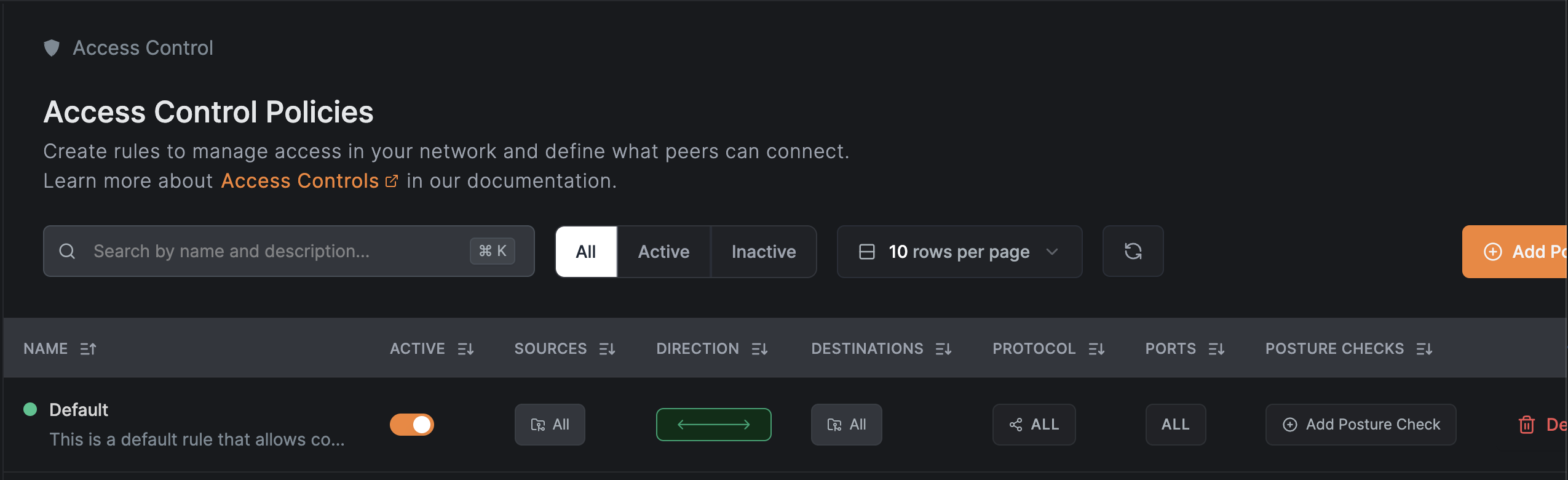
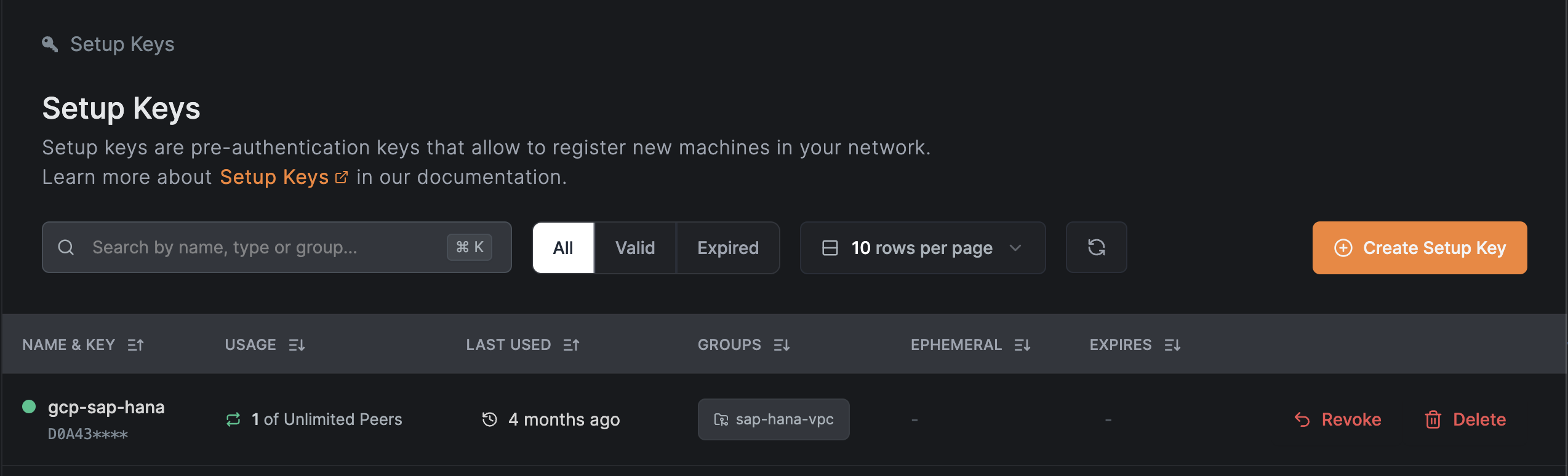
abc.sap.xxxxx.team, def.sap.xxxxx.team| Test Case | Result (✅/❌) | Notes |
|---|---|---|
| VPN client connects | ✅ | |
| DNS resolves SAP domains | ✅ | |
| Can access SAP HANA dashboard | ✅ | |
| Remote access without VPN fails | ✅ | Confirmed blocked |
| DNS failover (10.10.0.10 → 10.10.0.20) | ✅ | Works as expected |
📌 You can duplicate this as a template for other SAP environments
If you have installed the UI Version:- Click on netbird icon -> Settings -> Advance Settings & update the below endpoints.
    Management Url: https://abc.example.com:443
    Admin Url: https://abc.example.com:443
If you have installed the CLI Version:-
netbird up --management-url https://abc.example.com --admin-url https://abc.example.com --setup-key <your-setup-key>
*Version: 1.0 - Last Updated: