Custom domain names using Kubernetes CoreDNS
🌐 Custom domain names using Kubernetes CoreDNS

✨ Introduction
🎯 CoreDNS is the DNS service discovery plugin for Kubernetes. It replaces the older kube-dns and is pre-installed in the kube-system namespace.
💡 The objective of this guide is to use CoreDNS to provide custom domain names inside the cluster. For example, replacing the service name nginx.default.svc.cluster.local with something like nginx.default.devops.com.
🔍 Getting Started
📜 Check the current CoreDNS setup:
kubectl get pods,service,configmap -n kube-system -l=k8s-app=kube-dns
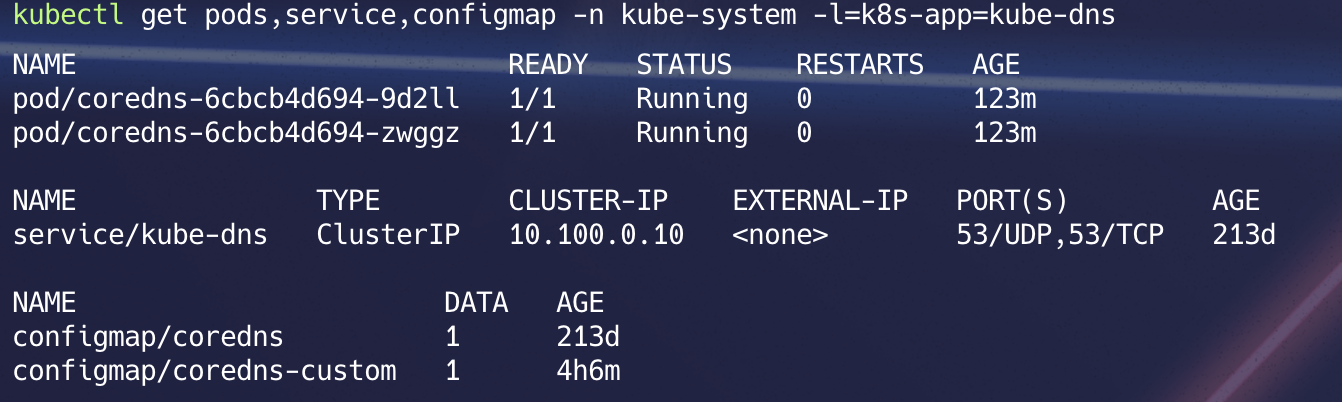
CoreDNS configuration is saved into a configmap.
kubectl describe configmap coredns -n kube-system
To provide a custom confiuration, we can use the coredns custom confgmap.
🛠️ Customizing CoreDNS
1) Save the following as
create custome-configmap.yamlapiVersion: v1 kind: ConfigMap metadata: name: coredns-custom namespace: kube-system labels: k8s-app: kube-dns data: internal-custom.override: | rewrite stop { name regex (.*)\.aks\.com\.$ {1}.svc.cluster.local. answer name (.*)\.svc\.cluster\.local\.$ {1}.devops.com. }
Apply the custom ConfigMap:
kubectl apply -f custom-configmap.yaml
2) Import the Custom ConfigMap
Edit the default CoreDNS ConfigMap to include the custom configuration: 📸 Reference screenshot:
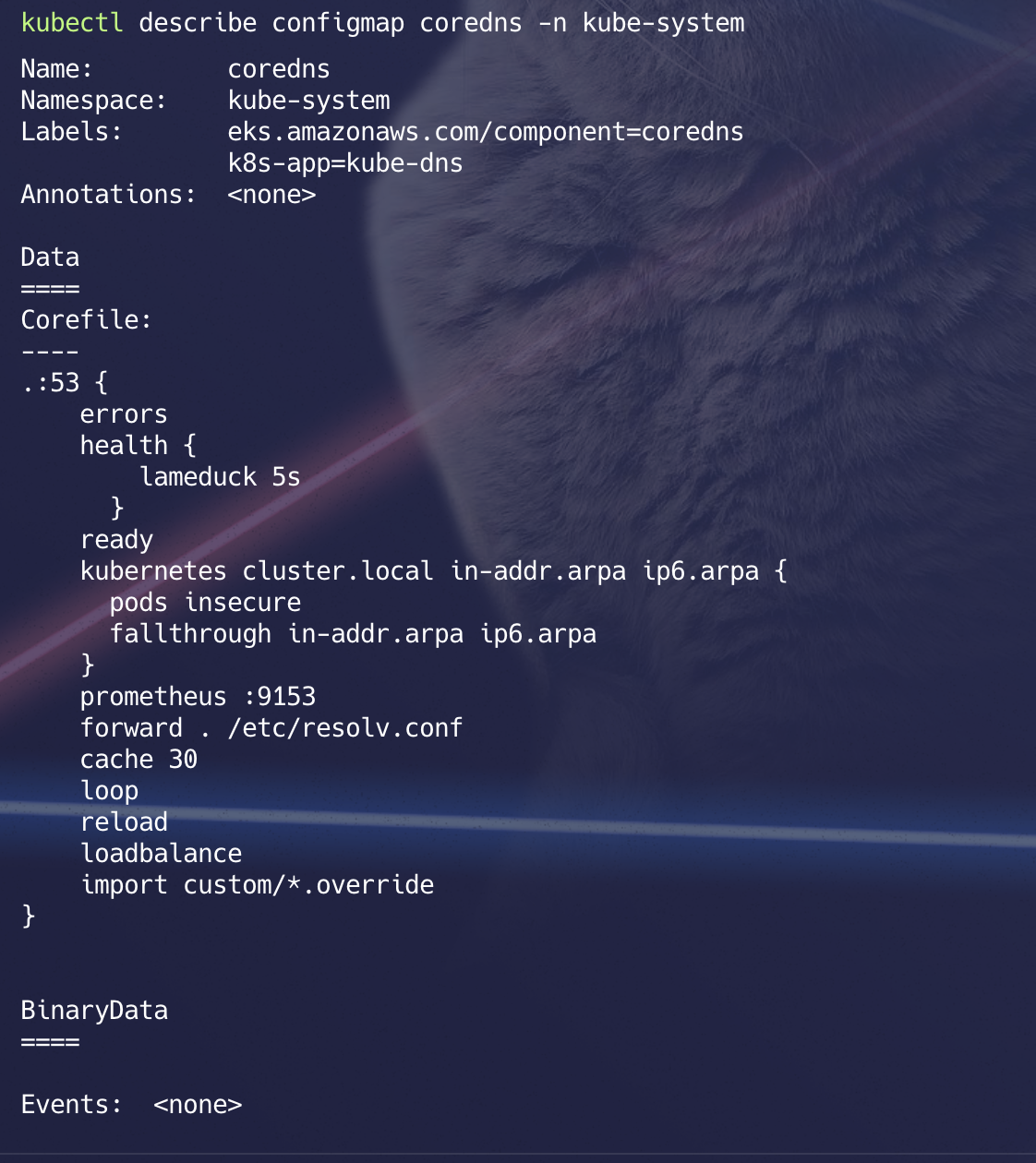
kubectl edit configmap coredns -n kube-system
import custom/*.override
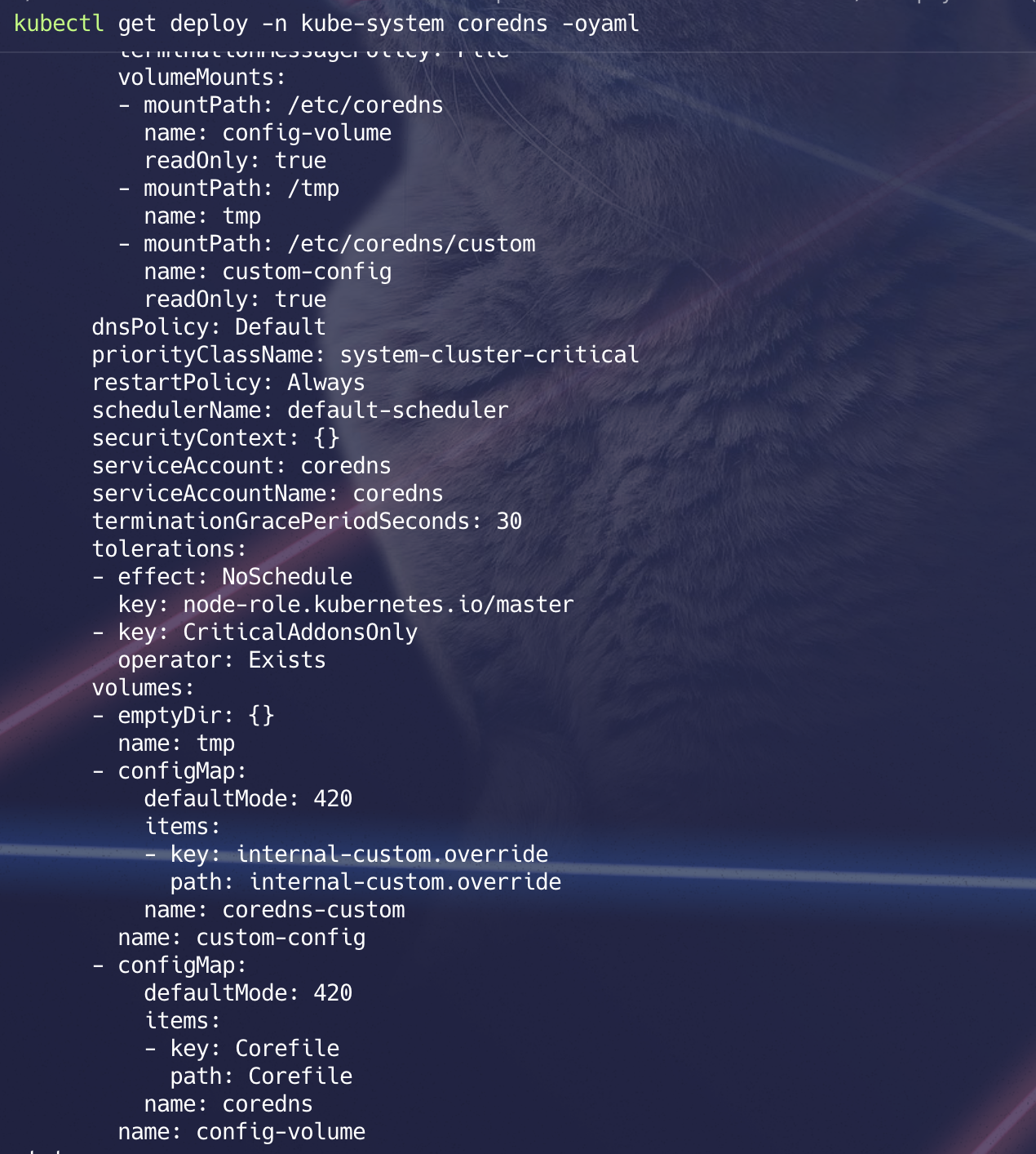
3) ⚙️ Update CoreDNS Deployment To enable the custom configuration, add a volume and volume mount to the CoreDNS deployment: Modify the deployment YAML:
volumes:
  - configMap:
      defaultMode: 420
      items:
        - key: internal-custom.override
          path: internal-custom.override
      name: coredns-custom

volumeMounts:
  - mountPath: /etc/coredns/custom
    name: custom-config
    readOnly: true
📸 Reference screenshot:
4) 📦 Now let’s start deploying some services & expose them. Create Services in Different Namespaces
🚢 Create deployments and expose services in the
defaultandkongnamespaces:
kubectl create deployment nginx --image=nginx --replicas=1 -n default
kubectl expose deployment nginx --name nginx --port=80 -n default
kubectl get deploy,svc

kubectl create deployment apache2 --image=httpd --replicas=1 -n kong
kubectl expose deployment apache2 --name apache2 --port=80 -n kong
kubectl get deploy,svc -n kong
🧩 Explanation:
🔄 Incoming domain
apache2.kong.devops.comwill be rewritten asapache2.kong.svc.cluster.local.
🔄 Incoming domain
nginx.default.devops.comwill be rewritten asnginx.default.svc.cluster.local.
🧪 Testing:
Let us try resolving with
.devops.com. Andunderstand how that works.
✅
nginx.default.devops.com→ should resolve tonginx.default.svc.cluster.local.
✅
apache2.kong.devops.com→ should resolve toapache2.kong.svc.cluster.local.
kubectl exec -it deploy/apache2 -n kong -- bash
apt update && apt install dnsutils curl -y

nslookup nginx.default.devops.com
nslookup apache2.kong.devops.com

curl nginx.default.devops.com
curl apach2.kong.devops.com
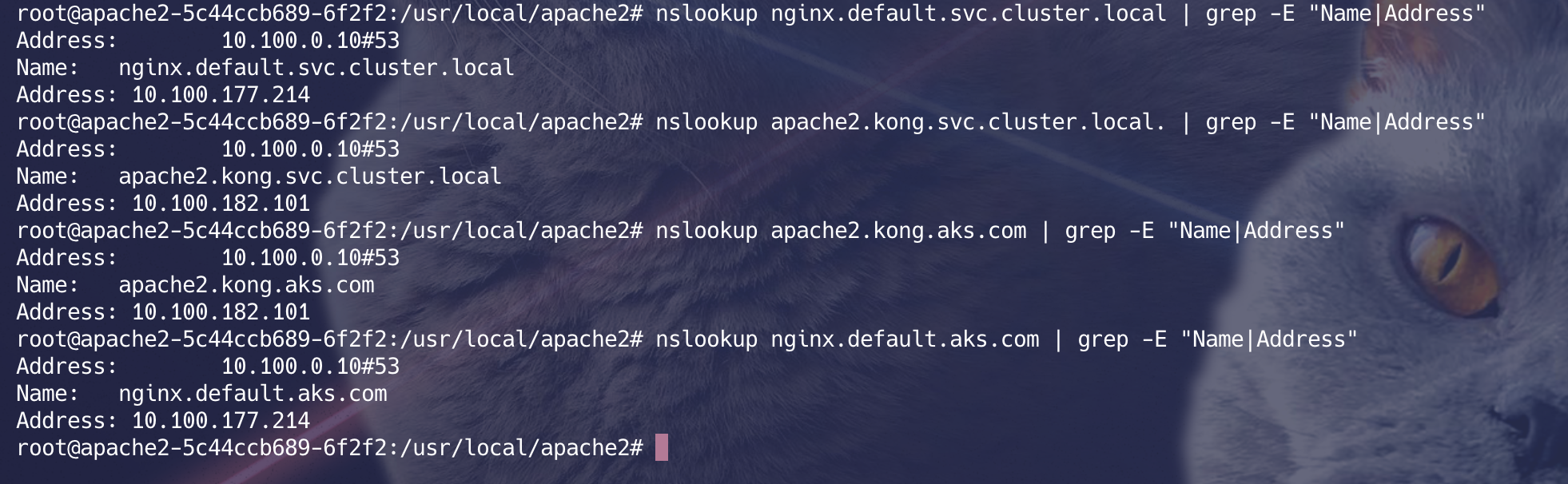
📸 Reference screenshot of final output: