MCP Lifecycle
The MCP Lifecycle
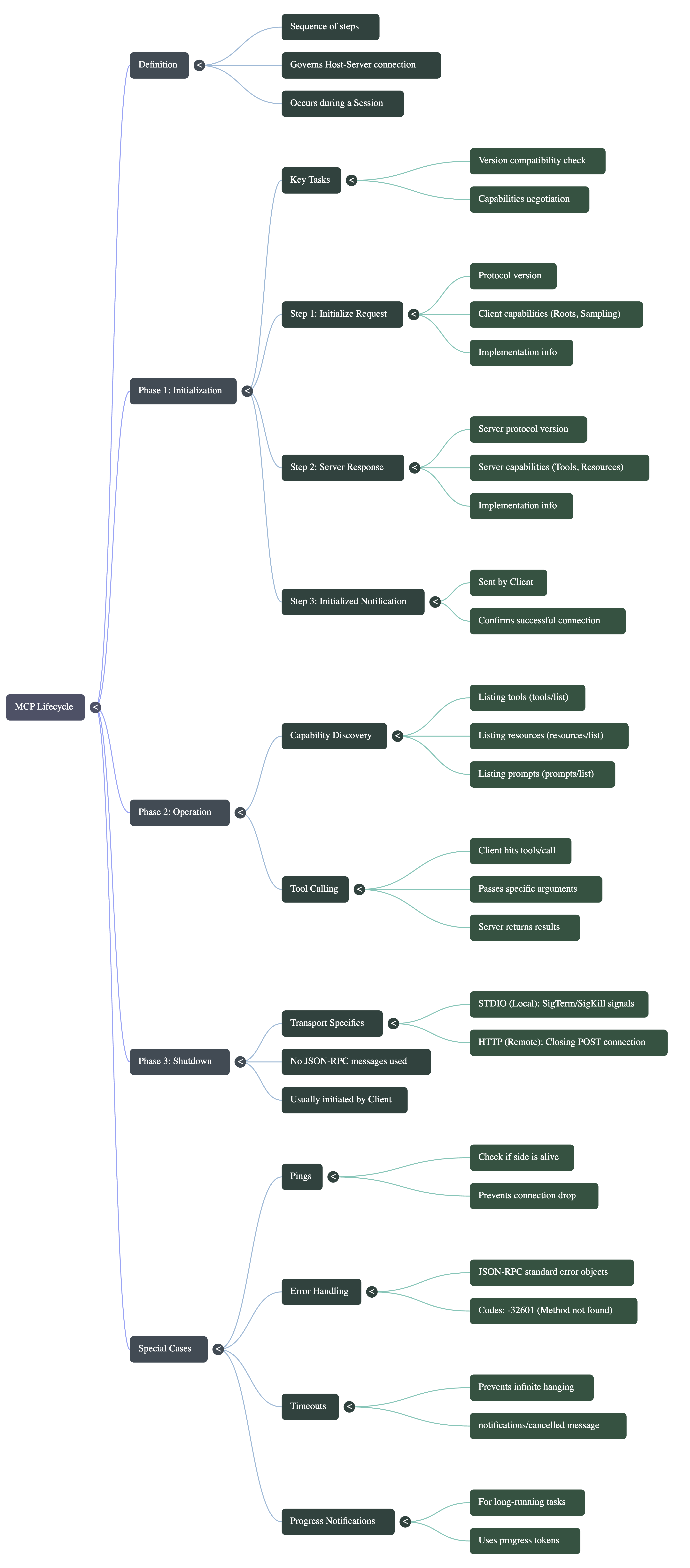
Foundational Concept: The “Session”
Imagine two systems trying to work together — a Client (like Claude Desktop) and a Server (maybe your local filesystem or GitHub).
Before they can do anything useful, they need to build trust, understand each other, and agree on how they’ll communicate.
This entire journey is called the MCP Lifecycle.
At the center of everything is something called a session — basically, a continuous connection between the Client and Server.
This lifecycle plays out in three clear stages:
- Initialization → “Hey, can we talk?”
- Operation → “Let’s get work done.”
- Shutdown → “Alright, we’re done here.”
Phase 1: Initialization (The Handshake)
This is where everything begins. Think of it like two strangers meeting and introducing themselves before starting a conversation.
The initialization phase must be the very first interaction between the Client and the Server. This phase has two primary goals: checking version compatibility and negotiating capabilities. It acts as a handshake where both parties agree on the terms of their future communication.
The 3-Step Handshake Process
Initialization always follows a strict 3-step sequence:
Step 1: Client Request
The Client sends an initialize request to the Server. This request includes:
- “Here’s the protocol version I support”
orIts supported Protocol Version. - “Here’s what I can do for you”
orIts Client Capabilities (what it can do for the server). - “Here’s who I am”
orClient implementation info (e.g., name and version).
Step 2: Server Response The Server processes the request and responds with:
- “Here’s the protocol version I support”
orIts own Protocol Version. - “Here’s what I can do for you”
orIts Server Capabilities (what features the client can use). - “Here’s who I am”
orServer implementation info (e.g., name and version).
Step 3: Client Notification
Once the Client receives the response and confirms compatibility, it fires an initialized notification back to the Server to officially lock in the connection. Because it is a notification, no request ID is involved, and the Server does not need to reply.
Strict Rules during Initialization:
- The Client cannot send any requests (other than pings) until the Server responds to the initialize request.
- The Server cannot serve any requests (other than pings and logging) until it receives the final
initializednotification from the Client.
Visual Diagram: The Initialization Handshake
[CLIENT]                                                 [SERVER]
   |                                                        |
   |---- 1. Method: `initialize` (Version, Capabilities)--->|
   |                                                        |
   |<--- 2. Response (Version, Server Capabilities) --------|
   |                                                        |
   |---- 3. Notification: `initialized` ------------------->|
   |                                                        |
[CONNECTION ESTABLISHED - READY FOR OPERATION]
What exactly is being negotiated?
1. Version Negotiation: If the Protocol Version sent by the Server in Step 2 does not match what the Client supports in its configuration, the Client will immediately disconnect without sending the final notification.
2. Capability Negotiation: Both sides declare their powers to set expectations.
-
Client Capabilities:
-
Roots: Gives the server access to the host system’s base directory/project folder.
-
Sampling: Allows the server to borrow the client’s AI to perform tasks (e.g., summarizing 1,000 documents).
-
Elicitation: Allows the server to ask the client for missing information (e.g., asking the user for an API key if it was forgotten).
-
-
Server Capabilities:
-
Tools: Functions the client can trigger.
-
Resources: Static documents the client can fetch.
-
Prompts: Instructions on how to interact.
-
Logging: Allows the server to send log statements back to the client during long-running tasks.
-
Sub-capabilities:
list_changed(notifies if a new tool/resource is added mid-session) andsubscribe(notifies if a specific resource, like a Readme file, changes).
-
Phase 2: Normal Operation
Once initialized, the system enters the Operation phase, where JSON-RPC messages are exchanged based strictly on the negotiated capabilities. This phase happens in two parts:
Part 1: Capability Discovery (Automatic)
Immediately after the initialized notification is sent, the Client automatically fires off batch requests to discover the exact items available on the Server.
-
It asks for
tools/listto get an exact list of available functions. -
It asks for
resources/listandprompts/list. -
The Server replies with detailed schemas for every tool, explaining what inputs they require.
Part 2: Tool Calling (User-Driven)
When a user asks a question (e.g., “What is written in the hello.py file on my desktop?”), the Client uses the discovered list to pick the best tool. It then sends a tools/call request with the required arguments, and the Server responds with the results (e.g., the code inside the file).
Phase 3: Shutdown
The Shutdown phase terminates the session. Unlike Initialization and Operation, no JSON-RPC messages are exchanged during Shutdown. The teardown is handled entirely by the Transport Layer.
Shutdown is typically initiated by the Client and behaves differently based on the server type:
-
Local Servers (STDIO Transport): The Client closes the server’s input stream (
stdin). If the Server refuses to exit, the Client relies on the Operating System by sending a politeSIGTERM(Signal Terminate). If it still doesn’t close, the Client forces a shutdown with an aggressiveSIGKILL. -
Remote Servers (HTTP Transport): The Client simply terminates the HTTP post connection it had opened. If a remote server crashes mid-process, the Client must be prepared to handle the dropped connection gracefully.
Special Edge Cases (Resilience & UX)
The MCP lifecycle includes four special handling scenarios to ensure stability and a great user experience:
1. Pings (Keep-Alives)
A Ping is a lightweight request/response method used to check if the other side is still responsive. Both Client and Server can ping each other. Pings are highly useful during initialization before a full connection is made, or during long-running tasks to prevent the Operating System or Firewalls from silently dropping an “inactive” connection.
2. Error Handling
MCP inherits its standard error object directly from JSON-RPC. When something fails (e.g., an invalid tool argument, a syntax issue, or hitting a non-existent method), an error object is returned.
-
Structure: It contains a
code, amessage, and optional debuggingdata. -
Example: Code
-32601means “Method Not Found”.
3. Timeouts & Cancellations
If a Client sends a request to a remote server that is overloaded, the user shouldn’t have to wait forever. The Client SDK allows developers to set a time threshold (e.g., 30 seconds). If the Server takes longer than this, the Client triggers a timeout, sending a notifications/cancelled message to the Server. The Server then stops processing the query, freeing up CPU and memory resources.
4. Progress Notifications
For long-running tasks (e.g., scanning 1,000 files in a GitHub repo for vulnerabilities), waiting in silence is bad UX.
-
How it works: The Client includes a
progressTokenin the metadata of its initial request. -
The Server’s Job: The Server periodically sends
notifications/progressmessages back using that same token, updating the client (e.g., “60 out of 100 files scanned”). -
Result: The Client turns this into a visual progress bar for the user, providing real-time feedback.
Visual Diagram: Progress Notifications
[CLIENT]                                                 [SERVER]
   |                                                        |
   |---- Request: `search_code` (Metadata: token=7) ------->|
   |                                                        |
   |<--- Notification: `progress` (token=7, value=60/100) --|
   |                                                        |
   |<--- Notification: `progress` (token=7, value=100/100)--|
   |                                                        |
   |<--- Final Result / Response ---------------------------|
By understanding these three phases and the specific edge-cases, you have complete conceptual mastery over how the MCP architecture governs communication flow.
🔍 “Behind the Scenes”
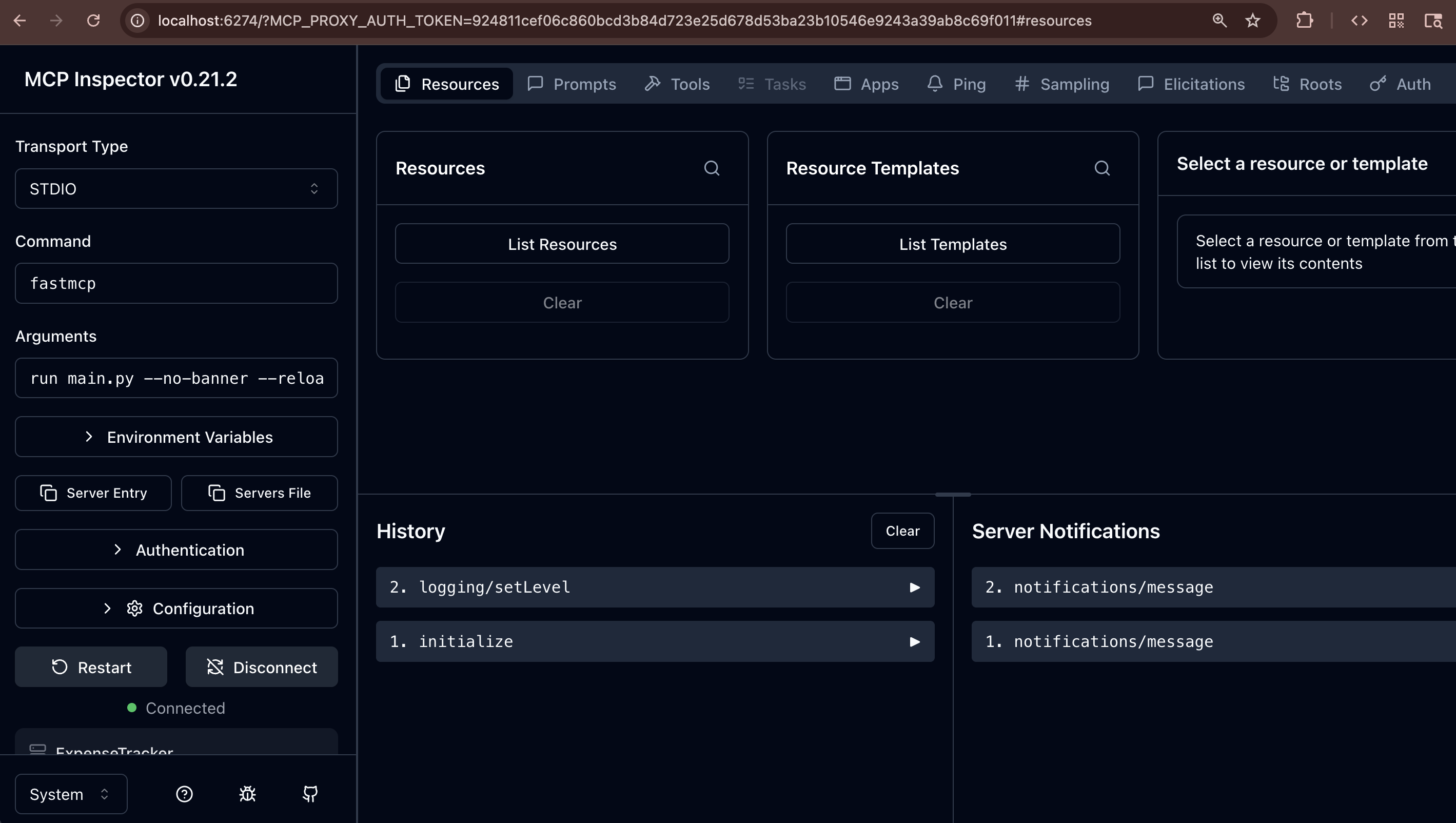
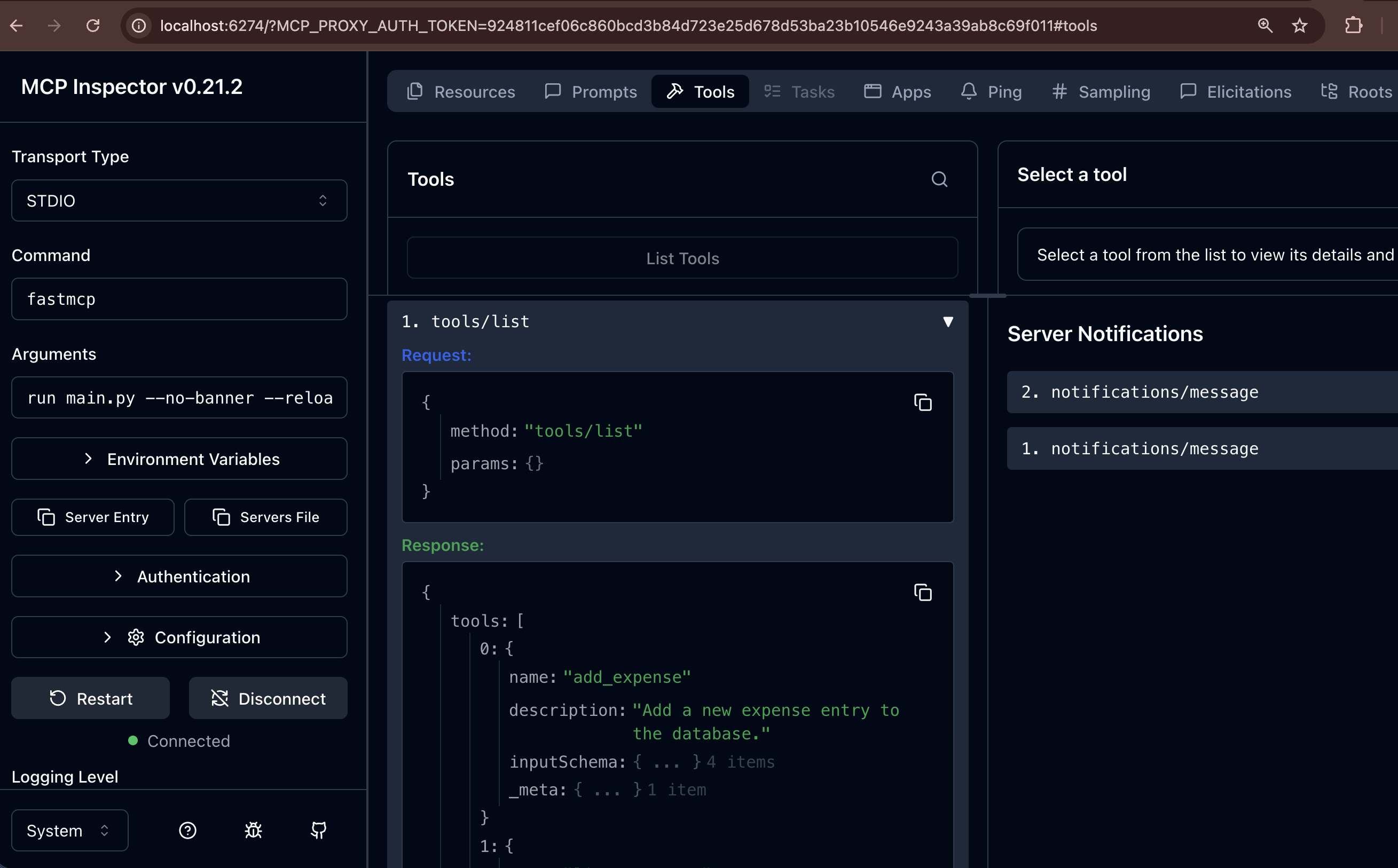
This is how MCP will send log messages.
notifications/message
{
  "method": "notifications/message",
  "params": {
    "level": "info",
    "logger": "stdio",
    "data": {
      "message": "[05/03/26 18:10:21] INFO     Reload mode enabled (using stateless     run.py:393\n                             sessions)"
    }
  }
}
Final Thought
If you zoom out, the MCP lifecycle is just a well-structured conversation:
- First, both sides introduce themselves
- Then, they figure out what’s possible
- After that, they get work done
- And finally, they cleanly disconnect
Once you understand this flow, building MCP-based systems becomes much easier — because you’re no longer guessing how communication works.
You’re following a clear, predictable story.